Koalayst
Getting Started Guide
Follow these simple steps to integrate Koalayst into your application
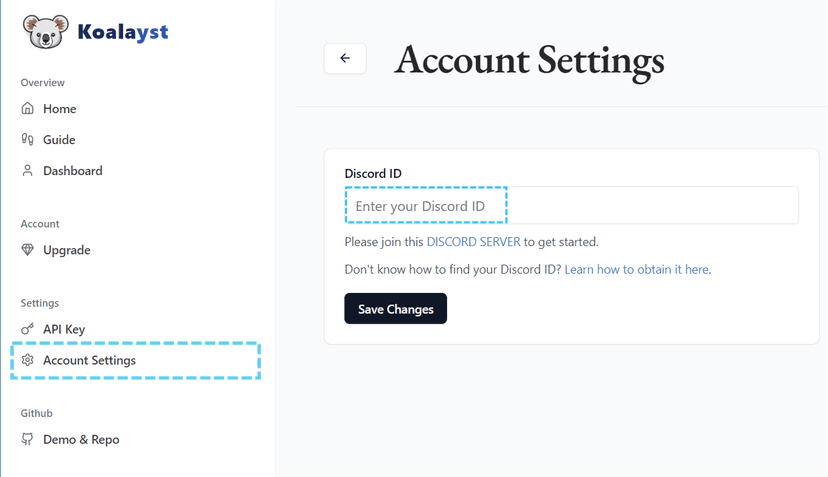
1. Add Your Discord ID
After logging in or signing up, navigate to Account Settings, then go to Discord ID, click Add, and save the changes. After that, join this: DISCORD SERVER.
2. Create Events & their Categories
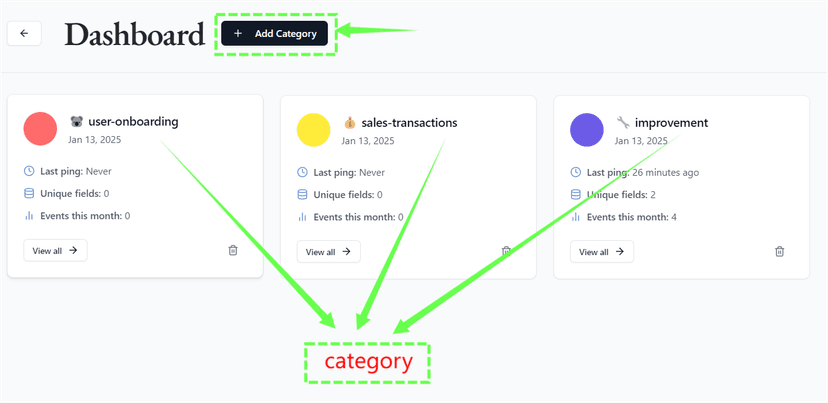
Create events & categories to organize the data you want to TRACK. Alternatively, use the Quick Start option to get pre-configured setups for commonly tracked data.
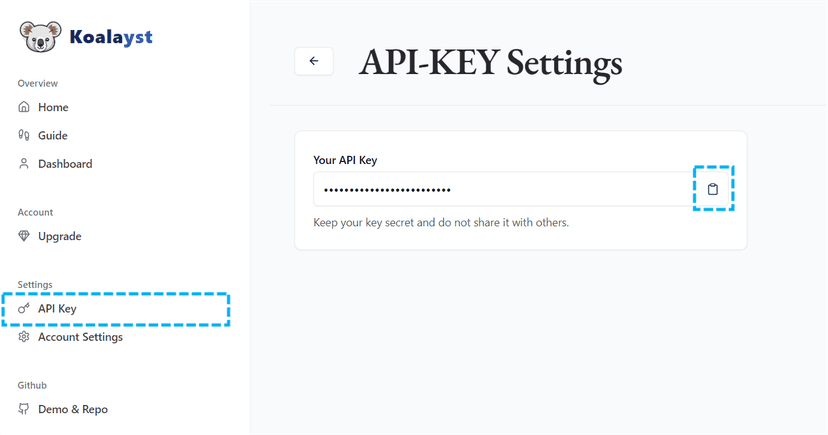
3. Retrieve Your API Key
Go to the API Key section in your dashboard. Copy your unique API key. This key will be used to authenticate requests made to our platform.
4. Integrate the API
await fetch('https://koalayst.vercel.app/api/v1/events', {
    method: 'POST',
    headers: {
      'Authorization': 'Bearer YOUR_API_KEY'
    },
    body: JSON.stringify({
      category: 'your_category_name',
      fields: {
        field1: 'value1', // for example: user id
        field2: 'value2' // for example: user email
      }
    })
  })
5. View Results
After sending your request, you'll see results in two places:
Discord Notification
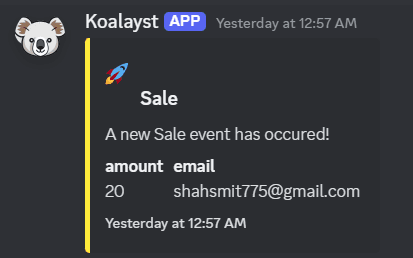
Our bot will instantly send a formatted message to your Discord channel with the event details
Dashboard Table
Your event will appear in the dashboard with timestamp, category, and all field values
All events are processed and displayed in real-time. You should see your test event appear within seconds of making the API request.